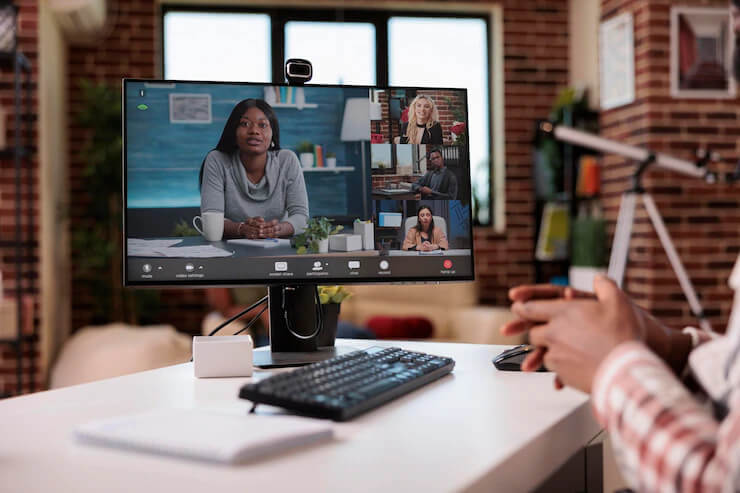
The current context increases the likelihood that your next job interview will be virtual and through some video conferencing tool. Be prepared for a video interview by following these steps.
You don’t know when the next date might be. From now on, everything goes faster, because the meetings are remote at the end of the click. Is your equipment efficient?
First, download the latest version of one of the popular video conferencing platforms like Zoom or Skype and, if necessary, make the required updates. For more stability, we strongly recommend that you use a laptop; the latter generally has an integrated video camera. Once this software is installed, take a test with friends to see if your camera and microphone are working satisfactorily.
Check the sound, light, and video quality
The headset offers the best sound experience by limiting echo and background noise. Your voice and words will be clearer to the other person. The wired headphones that came with your cell phone are fine. If you have a more capable headset for music, this is your chance to capitalize on its noise cancellation features.
You can make sure you are looking best during a video interview by adding a web camera to your system. For around a hundred bucks, you’ll get frame refresh rate, autofocus, color enhancement, and framing features that will stand out on the screen.
During your test, close any applications that you are not using. Other applications that are running in the background can slow down your system and affect the quality of the picture or sound and even cause interruptions. It is also crucial to check the performance of your Internet network.
To avoid slowdowns, make sure no one in your home is watching movies or playing video games. If you are having difficulty, you can try moving closer to the router. If nothing helps, you may have to increase your plan or change providers. Last check, before the meeting, make sure that your computer is charged or that it is plugged into an outlet to avoid suddenly losing communication if your device turns off.
Also Read: How to Ace Your Next Job Interview – Career Advice
Choose a good background
It is as important to take care of your on-screen appearance as if you were in person in an office. Your home in the background contributes to the image you communicate. Find a quiet space where you can converse away from noise and interruptions. Tell the members of your residence who are present and, if possible, have your young children babysit to prevent them suddenly appearing in the middle of your meeting.
Create a pleasant environment
The room visible on the screen must be pleasant and tidy. In the foreground, favor a table free of any object. About a meter behind you, a wall without patterns decorated with a sober painting or a bookcase and / or plants will be the best effect. If you make this choice, try on several and pay attention to your clothes, which should not be green or too close to the predominant color in the photo. It might make your head appear to be floating on the screen.
Position the camera at eye level as if you are naturally looking a person in the face. To achieve this, your computer should be about an arm’s length away. If necessary, adjust the height of your computer, for example, by resting it on books. Another tip for a video interview, if your software allows it, move the thumbnail of your image under the camera, in the center of the screen, so that your gaze is straight and you don’t seem to be continuously scrutinizing something in a corner of your monitor.
Lighting is what will have the most impact on the quality of your image. Choose a bright room with diffused daylight-like lighting. If there is a window in the room, your desk should be about two meters away from it and perpendicular to it; facing or facing them will make your screen unreadable or create a backlight. However, keep in mind that the weather could suddenly change during the day. It is best to control the lighting in the following way: in addition to the ceiling light in the room, place a lamp immediately behind the camera towards your face. This will brighten up the image by removing shadows from your face.
Also Read: 12 Things That Job Seekers Should Never Say During Interview
Keep a serene and smiling face
Your goal is to transpose your natural charisma to the virtual world. Keep a serene and smiling face. Think about your micro-expressions and facial expressions you are used to making in reaction to a comment or when thinking about a question. You might unintentionally sound upset, lost, or even funny. Also, moving in front of the camera can create unexpected freezes in the event of a weak network. Limit your movements as much as possible, control your tics, and leave your hair alone. Instead, speak with your voice and eyes. On a related note, choose a stable chair that won’t sway when you speak or roll you off-screen in the middle of a sentence.
In closing, just like with the in-person interview, good preparation is the key to success. We suggest that you work diligently on your questions and answers by rehearsing a timed scenario in advance. Interviews are normally scheduled for 30 to 45 minutes. Tell yourself that your goal is to leave a memorable impression that will win you a second interview.
Over 400,000 subscribers love MetroYak. Promote your voice in a highly targeted, personalized way using Promoted Content.
Share your requirements at: hello@metroyak.com